

Best ABA Practice Management Software: A Complete Guide for ABA Clinics
Most ABA clinics outgrow their systems before they realize it. This guide breaks down what the best ABA practice management software actually looks like and how to choose wisely.

- Best ABA Practice Management Software: What Actually Works for Busy Clinics - September 26, 2026
- Practice Management Software for ABA Therapists: Features, Benefits & How to Choose - September 23, 2026
- All-in-One ABA Practice Management System: Why It Matters for Growing Practices - September 17, 2026
Every ABA clinic reaches a point where the informal systems that worked at the start stop working. The scheduling spreadsheet that three people update separately. The paper data sheets that get transcribed two days later. The billing platform that nobody fully understands, with a denial queue that grows faster than it gets addressed.
That’s not a management failure. It’s a systems failure the predictable result of running a complex clinical operation on tools that weren’t built for it.
Finding the best ABA practice management software for your clinic isn’t about finding the most feature-rich platform or the one with the most impressive demo. It’s about finding the system that fits how your clinic actually operates and then actually getting it implemented well enough to deliver its potential value.
This guide covers what separates genuinely useful ABA practice management software from platforms that look good in presentations and underdeliver in practice.
What ABA Practice Management Software Actually Is
Before evaluating options, it helps to be clear about what practice management software in the ABA context actually needs to do because the term gets used loosely and the definition matters.
ABA practice management software is a platform that manages the operational functions of a behavior analysis clinic scheduling, clinical documentation, billing, authorization tracking, and compliance reporting in one connected system where information flows automatically between functions rather than being manually transferred between disconnected tools.
That last part is the definition that matters. A scheduling tool, a data collection system, and a billing platform that share a login but don’t share data automatically aren’t practice management software. They’re three tools in proximity to each other and the gaps between them are where most ABA operational problems originate.
Genuine practice management software means that a session scheduled in the morning is available in billing by the afternoon without manual entry. Documentation captured during a session supports the billing claim without someone manually linking the two. Authorization changes update scheduling constraints immediately rather than requiring a separate notification and manual update.
Why Generic Healthcare Software Doesn’t Work for ABA
This question comes up in almost every software evaluation: why not use the same platform as other healthcare specialties?
The short answer is that ABA has structural characteristics that general healthcare platforms weren’t designed to handle and adapting them for ABA creates workarounds that multiply as the clinic grows.
Authorization units, not visits. Most healthcare authorizations approve a number of visits. ABA authorizations approve units typically 15-minute blocks within windows that expire on specific dates. Tracking unit consumption in real time across multiple clients, service types, and payers is a continuous management challenge that general scheduling tools address poorly.
Credential-specific billing rules. ABA billing CPT codes have specific requirements around which credential level delivers the service, what modifiers apply, and what documentation must support the claim. General billing systems don’t know these rules which means billing staff apply them manually, inconsistently, and with the errors that manual application produces.
High-volume clinical documentation. ABA sessions require structured behavioral documentation specific targets, intervention procedures, prompt levels, response data in formats that general EHR tools weren’t built to capture.
Supervision ratio management. BCBA oversight of RBT-delivered services is both a clinical standard and a payer requirement. Managing ratios across a full caseload requires system visibility that general practice management tools don’t provide.
Each of these creates a workaround when the software doesn’t handle it natively. Workarounds work until they don’t and they stop working at exactly the point when your practice is growing fast enough that you can least afford operational disruption.
The Core Features That Actually Matter
Authorization Tracking Built Into Scheduling
Authorization tracking is the feature that separates ABA-specific platforms from everything else most clearly. When authorization data approved units, service types, expiration dates is built into the scheduling interface rather than maintained separately, compliance becomes a natural output of the scheduling process.
Sessions that would exceed unit limits get flagged before confirmation. Approaching ceilings trigger renewal alerts. Sessions can’t be pushed past authorization end dates without a deliberate override. The most common and least reversible category of ABA billing denials authorization-related ones gets caught at the scheduling stage rather than the claims stage.
Clinical Documentation Connected to Billing
Applied behavior analysis practice management software that connects data collection to billing eliminates the manual bridge between them and that bridge is where most documentation-related billing problems originate.
When session notes are connected to claims automatically, billing staff verify documentation exists before submission without manual retrieval. Supervisors access current behavioral data without waiting for paper transcription. Payer audit requests get answered immediately because documentation is accessible from the billing record rather than stored in a separate archive.
The clinical benefit is real too. When data flows directly from session recording into clinical graphs without a transcription step that introduces delay and error supervisors make program decisions based on what actually happened in recent sessions rather than a delayed reconstruction of it.
Scheduling That Understands ABA Complexity
ABA clinic project management software built for behavior analysis handles the multi-constraint nature of ABA scheduling natively credential requirements, authorization limits, supervision ratios, location logistics, and family availability simultaneously, in real time.
When a staff member is unavailable, the system surfaces qualified replacements staff with the right credentials and availability for the affected clients. Schedule changes propagate automatically through billing and documentation rather than requiring separate manual updates in multiple places.
Real-time shared visibility means everyone on the team sees current schedule information rather than working from versions that are hours or days out of date.
Pre-Submission Billing Verification
The most valuable billing feature isn’t claim submission speed it’s catching errors before claims leave the practice. Pre-submission checks that verify authorization validity, credential matching, modifier requirements, and required field completion for each payer turn what would be denials into pre-submission corrections.
Corrections before submission take minutes. Appeals after denial take significantly longer and succeed less reliably. The difference in administrative workload between a practice with strong pre-submission verification and one without it is substantial and grows with claim volume.
What Separates Good Platforms From Adequate Ones
Integration Depth
The most important question to ask any vendor isn’t about features it’s about how those features connect to each other.
Ask specifically: how does session data get from scheduling into billing? What staff actions are required? If the answer involves any manual step an export, a data entry task, a notification that someone has to act on that’s a handoff. And handoffs are where operational efficiency disappears and errors accumulate.
Genuine integration means zero manual steps between scheduling a session and having that session’s information correctly available in billing. That’s a specific and verifiable claim ask vendors to demonstrate it in a workflow walkthrough rather than confirming it on a feature checklist.
Mobile and Offline Functionality
ABA sessions happen in homes, schools, and community settings where internet connectivity is unreliable. Any platform that requires continuous connectivity for clinical staff in the field has a meaningful operational limitation.
Ask specifically how the platform handles offline scenarios whether staff can access schedules and collect session data without connectivity, and how synchronization works when connection is restored. Test this in realistic conditions before committing, not in a product demonstration in a wifi-enabled conference room.
Implementation Quality
A platform purchased and poorly implemented delivers a fraction of its potential value. The implementation process onboarding structure, training approach for clinical versus administrative staff, support availability after go-live predicts the actual practice experience more accurately than any feature demonstration.
Ask for specifics: what does implementation look like for a practice of similar size? What training is provided? What support is available in the 90 days after go-live when questions are most frequent and problems most likely to surface?
Common Evaluation Mistakes
Evaluating features instead of workflows. Feature lists from different vendors look similar. Workflow demonstrations reveal operational reality. Request a demonstration of your specific scenarios schedule a session, cancel it, see how it propagates; submit a claim and follow the verification steps; find a supervisor’s view of current client data.
Choosing on price alone. Software that’s inexpensive but requires significant manual workarounds typically costs more in staff time than purpose-built solutions would have. Calculate total cost including administrative overhead, not just subscription fees.
Buying disconnected tools. Scheduling from one vendor, billing from another, data collection from a third each decision made independently creates a collection of tools that handle individual functions in isolation. The manual bridges between them become the source of most operational errors and the primary obstacle to growth.
Leaving clinical staff out of evaluation. Administrative staff evaluate scheduling software for administrative functionality. RBTs and BCBAs evaluate it for usability in the field on a mobile device, during an active session, in a community setting. Both perspectives matter. Software that administrators find functional and clinical staff find frustrating has an adoption problem that limits its value from day one.
What MeasurePM Offers
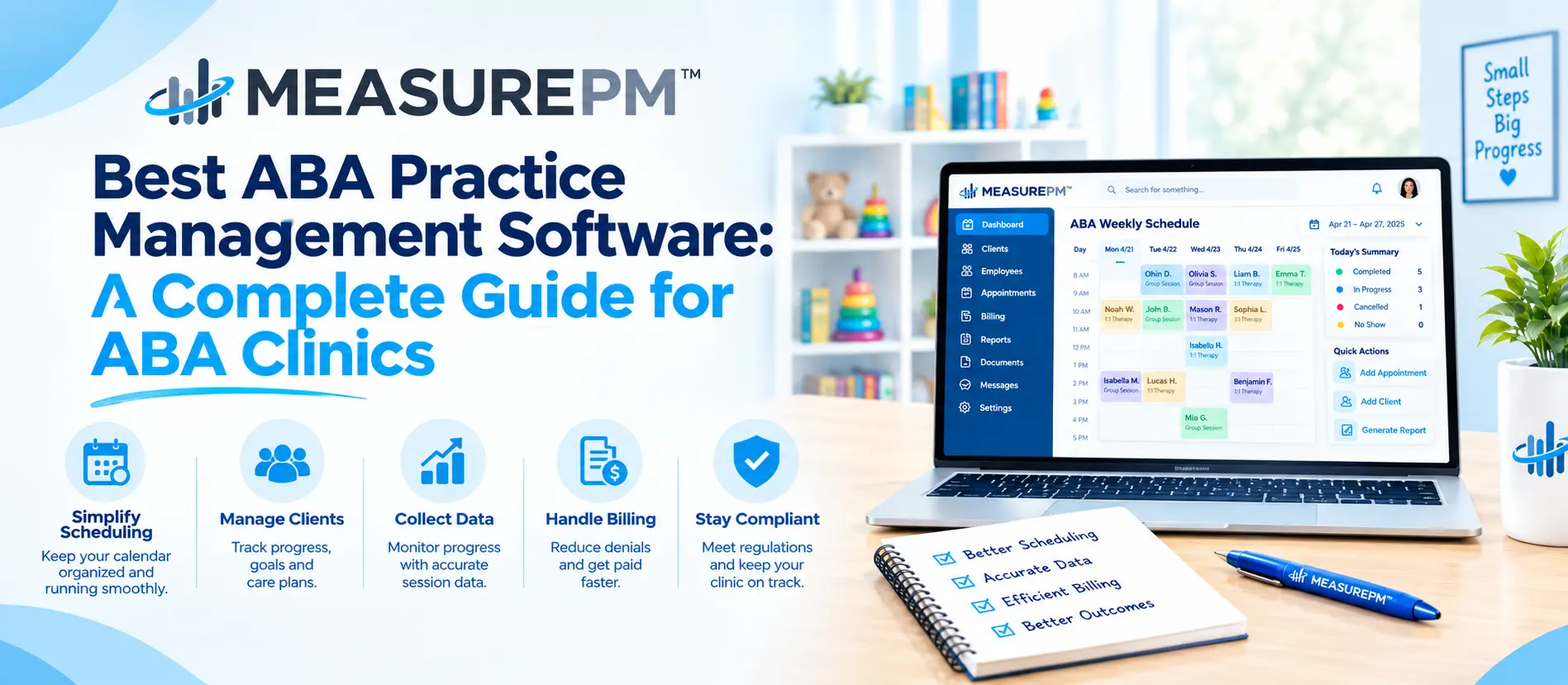
MeasurePM is purpose-built for ABA practices scheduling, data collection, and billing operating as genuinely connected functions in one HIPAA-compliant platform.
More than 10,000 providers across 40+ U.S. states use MeasurePM. The platform maintains 99.99% uptime and cuts admin staff hours by up to 50% on average not by making individual tasks faster, but by eliminating the manual coordination between disconnected functions that consumes most of that administrative time.
Authorization tracking is built into scheduling as a core function. Session documentation connects to billing claims automatically. Pre-submission verification catches errors before they reach payers. Supervision ratios are visible across the full team in real time.
The platform is HIPAA-compliant with enterprise-grade security, scales from single-location clinics to multi-site operations, and includes structured onboarding and ongoing support that reflects how practices actually use the system rather than how demos present it.
FAQs
1. What makes ABA practice management software different from general healthcare software?
ABA practice management software includes authorization unit tracking, credential-to-service matching, supervision ratio management, ABA-specific documentation structures, and ABA billing CPT code requirements as core functions not workarounds or add-ons. General healthcare platforms handle appointment scheduling and basic billing but weren’t designed for the specific operational complexity of behavior analysis practices. The difference shows up practically in billing accuracy, compliance management, and the administrative overhead required to run the practice.
2. How does the best ABA practice management software reduce billing denials?
By connecting scheduling and documentation directly to billing eliminating the manual data transfer steps where most billing errors originate. Authorization limits tracked in scheduling prevent sessions from being billed beyond approved units. Credential mismatches are flagged before confirmation. Documentation connects to claims automatically so gaps are visible before submission. Pre-submission checks verify modifier requirements and payer-specific rules before claims go out. Each connection removes a category of preventable denial.
3. Is ABA practice management software suitable for small clinics or only large operations?
Smaller clinics often benefit proportionally more than larger ones because they have fewer administrative resources to absorb the inefficiency of disconnected systems. When one or two people manage scheduling, documentation, and billing across separate tools, the coordination overhead is disproportionately large. Integrated practice management software reduces that overhead regardless of practice size and the financial impact of billing errors is more significant at smaller scale, making prevention more valuable per dollar.
4. What questions should I ask during a demo of ABA practice management software?
Ask workflow-specific questions: how does session data get from scheduling into billing automatically or through manual steps? What happens when an authorization changes mid-period? Can staff collect data offline in community settings? What does implementation look like for a practice of similar size? What support is available after go-live? These questions reveal operational reality more accurately than feature demonstrations designed to showcase platform strengths.
5. How long does it take to implement ABA practice management software?
Implementation timelines vary by practice size and complexity. Smaller practices with straightforward configurations can be operational within a few weeks. Larger practices with multiple locations, complex payer mixes, and significant historical data typically need more structured implementation time. The vendor’s onboarding process training quality, support availability, and implementation structure affects this timeline significantly and should be evaluated as carefully as the software features themselves.
